 OUR PRODUCTS
Camwright: design a cam from its motion
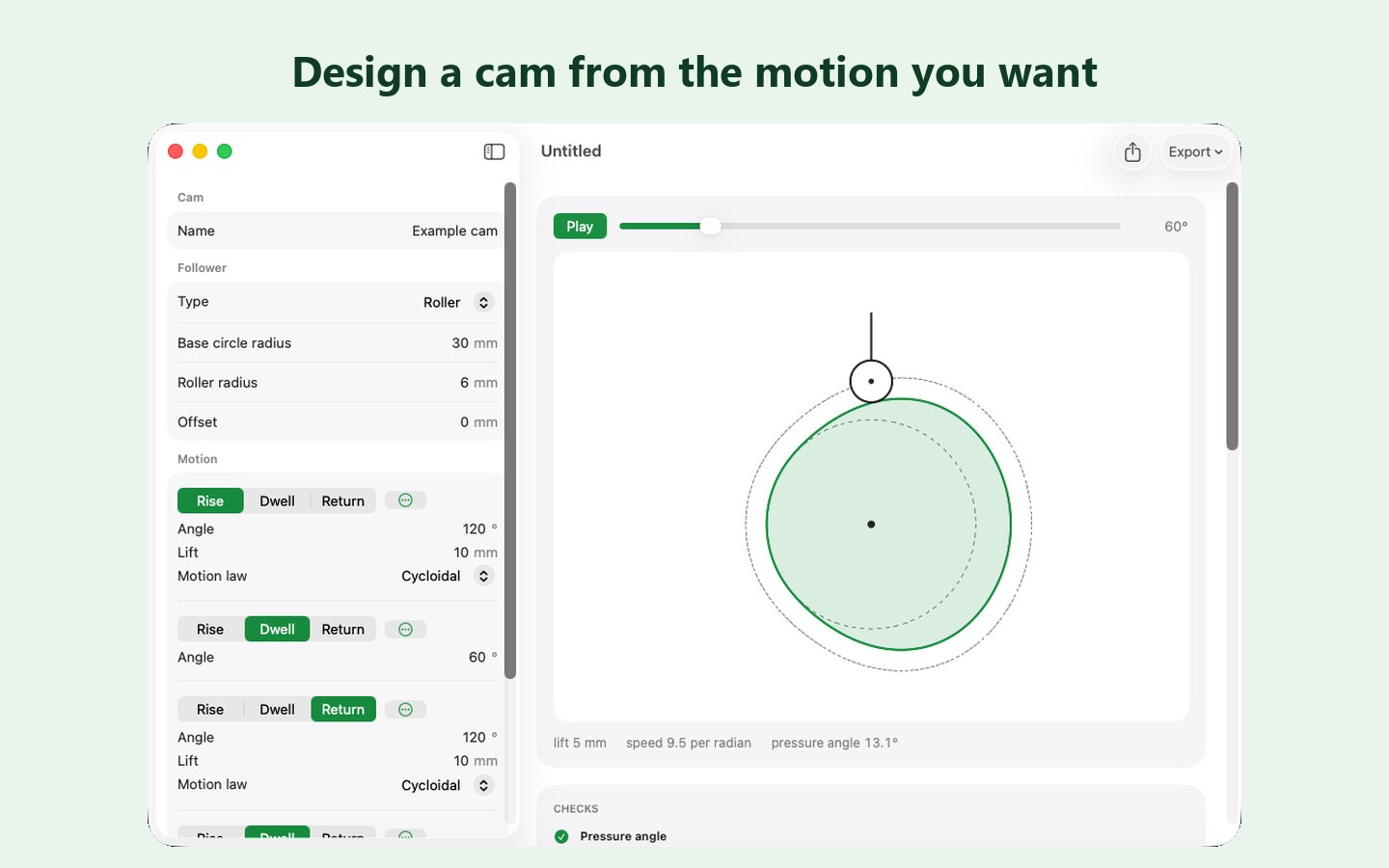
Cam profile and G-code for the Mac and iPad. Describe how the follower should move, watch the cam turn, check it, and export a drawing, a table or a milling program.
Camwright
Cam profile and G-code. For machinists, mechanism designers, students, teachers and hobby builders.
Coming soon · Mac and iPadCamwright is not released yet. This page describes what it does, and details may change before release.
How it works
Describe the motion
One turn of the cam as rises, dwells and returns, each with an angle, a lift and a motion law.
Choose the follower
Roller, flat face or swinging arm, with its sizes. The cam is drawn at once and turns under it.
Check
Pressure angle, undercut, face width and sudden changes of speed, in plain words, with the cam angles where they happen.
Export
A DXF drawing, CSV tables, or a program that cuts the outside of the cam with an end mill.
What you can do
Design
- Cycloidal, modified sine, modified trapezoid, simple harmonic, 3-4-5 polynomial and constant velocity motion
- Roller, flat-faced and swinging-arm followers
- Curves of position, speed, acceleration and pressure angle
- A suggested base circle when the pressure angle is too high
Make
- DXF drawing of the outline with its base circle
- Profile and motion tables as CSV
- Climb or conventional milling in equal passes, with a finish allowance
- No program for a cam the tool cannot cut cleanly, with the reason
A starting point, not a guarantee
The drawings, checks and programs are calculated from the numbers you enter. They have not been measured on your machine. Check every program in a simulator and with a dry run before cutting material. The operator is responsible for what is run on a machine.
Quick facts
| Platform | Mac (macOS 14 or newer) and iPad (iPadOS 17 or newer) |
|---|---|
| Availability | Coming soon on the Apple App Store |
| Language | English |
| Price | Free. Export is a one-time in-app purchase. |
| Account | None. Nothing is uploaded. |
| Works offline | Yes |
| Support | contact@abderrazaksardi.online |
Questions
Are my designs uploaded?
No. Camwright has no account, no analytics and no server, and your designs are never sent to us. They stay where you save them unless you share them yourself.
Can I run the program straight on my machine?
No program should go to a machine unchecked. Simulate it, set your blank, tool and feeds, and make a dry run above the part first. Controls differ in details.
Which follower types can it design for?
A roller follower, in line or offset; a flat-faced follower; and a roller on a swinging arm.
What can it export?
A DXF drawing of the cam outline, profile and motion tables as CSV, and a milling program for common mill controls or as plain G-code. Exporting needs the one-time export unlock.
What is free?
Designing, the animation, all checks and the curves. Exporting is an in-app purchase made once, with no subscription.
Does it work without a connection?
Yes. Everything runs on your device. Only buying or restoring the export unlock needs a connection.