Apps built to run on your own device
The tools on this site work in your browser. Our apps go one step further: they do the work on your phone, with no account and no upload.
PDFSwift
AI PDF tools & CV Maker. Merge, split, compress, convert, sign and protect PDFs, build a CV from templates, and use AI tools for summaries, rewriting, translation and questions about a document. Most of the work runs on your iPhone or iPad.
On the App Store · iPhone and iPad
MerchSwift
Print-ready merch design. Design stickers, t-shirts and mugs, check them against print rules, draw sticker cut lines and export files that print correctly the first time.
Coming soon · iPhone, iPad and Mac
Filora · 绣刻
Images to stitch & cut. Turn a photo, a logo, an SVG or an Illustrator file into G-code or an embroidery stitch file.
On the App Store · iPhone and iPad Android coming soonWhat is Filora?
Filora (绣刻, “stitch and carve”) is a phone app for people who make things with machines: embroidery, CNC routing and laser engraving. You start from a picture. Filora cleans it up, traces its outlines, and turns them into either a toolpath for a cutting or engraving machine or a set of stitches for an embroidery machine. Then you export the file.
Everything happens on the phone. There is no account to create, nothing is uploaded, and no server is involved in the conversion, so it keeps working without a connection.
How it works
Import
Pick a picture from the gallery, take one with the camera, or open a file: JPG, PNG, SVG or an Illustrator (.ai) file saved with PDF compatibility.
Prepare
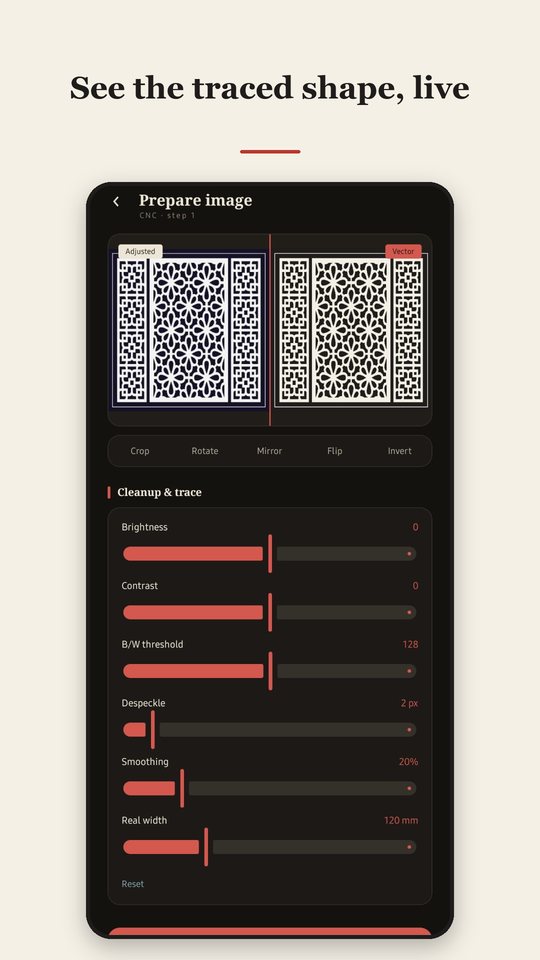
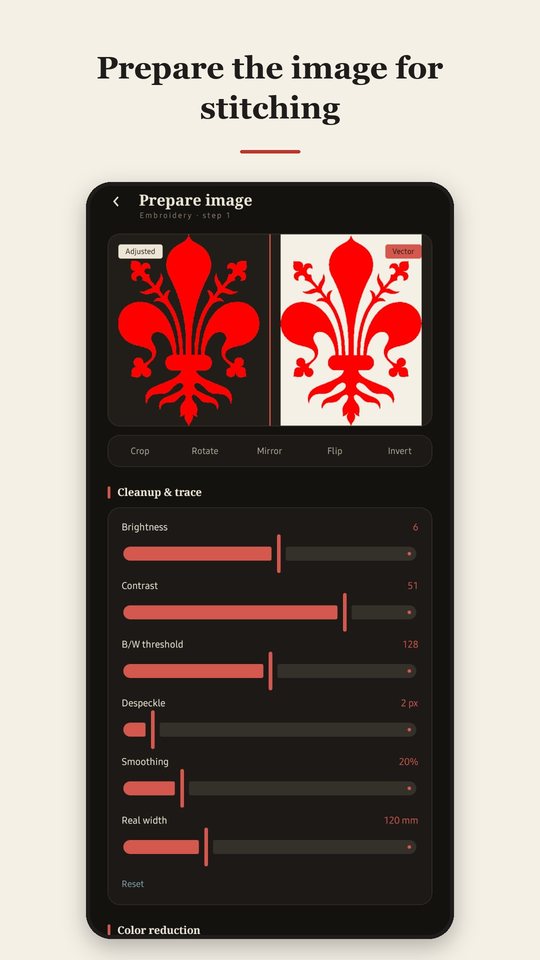
Crop, rotate, mirror, flip or invert. Adjust brightness, contrast, threshold, despeckle and smoothing while a live before-and-after view shows exactly what will be used. Set the real width in millimetres.
Choose the job
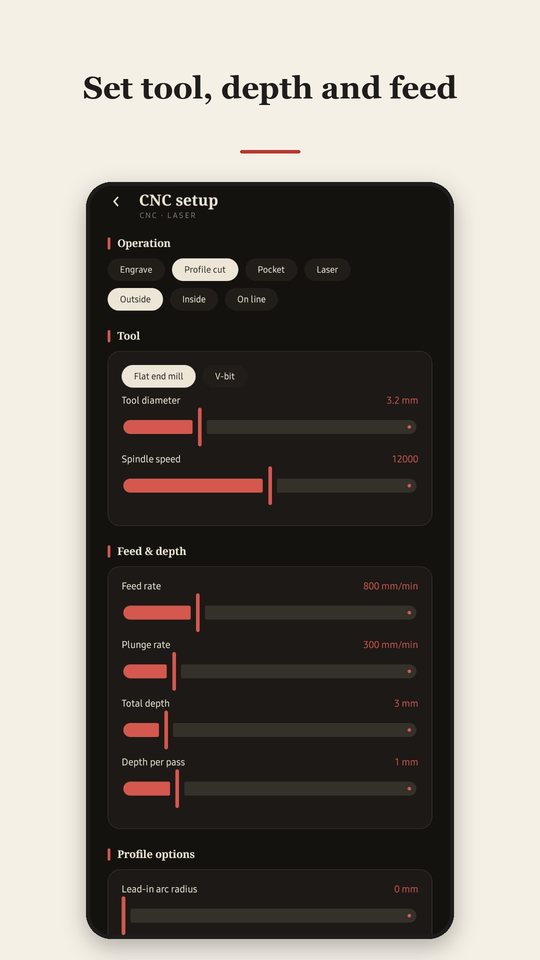
Cut or engrave: pick the operation, tool, depth, feed, tabs, lead-in, arcs, units and origin. Embroider: pick the stitch type, density, underlay, thread colours and hoop size.
Preview
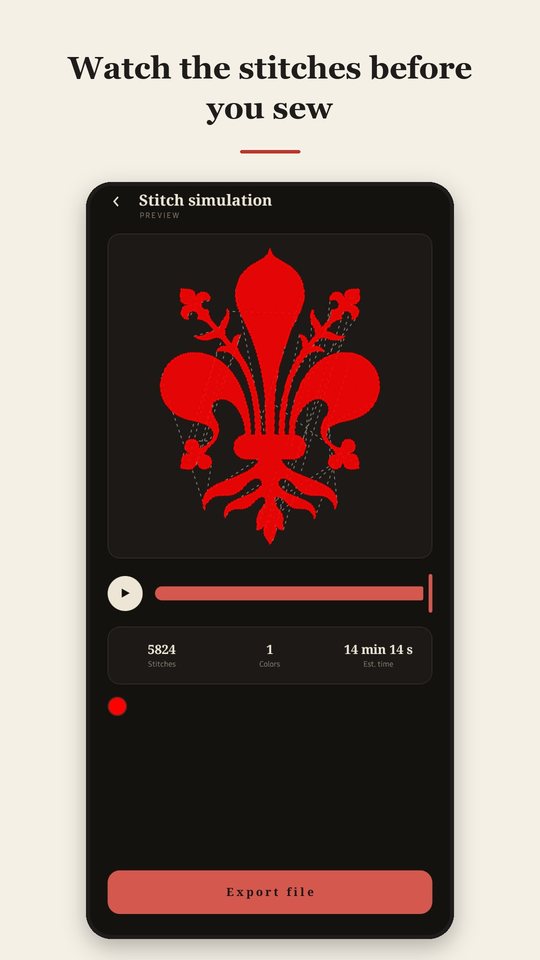
Scrub or play the toolpath with an estimated run time, or watch the stitches appear in thread colours with the stitch count.
Export
Save the file to the phone or share it. G-code for cutting and engraving; DST, PES, JEF or EXP for embroidery.
Under the hood, photos are converted to clean black-and-white shapes, traced into outlines, then turned into toolpaths or stitches by a native engine running on the phone. SVG and Illustrator files keep their real size and shapes instead of being traced.
What you can make
Cut and engrave (CNC and laser)
- Engrave, cut outside, inside or on the line, or clear a pocket
- Multiple depth passes, safe height, feed and plunge rates
- Holding tabs, lead-in and lead-out arcs
- Real G2/G3 arcs for round shapes
- Millimetres or inches, three origin choices
- Optional laser mode
- A warning when details are smaller than the tool
Embroider
- Running, satin and fill stitches
- Underlay and pull compensation
- Up to 16 thread colours from one image
- Hoop size check, trims and jumps handled for you
- Stitch simulation before you export
Output formats
Cutting and engraving: plain-text G-code (GRBL-style, saved as .nc). Embroidery: DST, PES, JEF and EXP.
Filora writes these files following their published layouts. Compatibility with any particular machine or controller is not guaranteed, so please run a test on scrap material before real work.
See it
Your files stay on your phone
Filora has no accounts and no analytics of its own. The Android versions show no ads; the iPhone and iPad version is free with ads (Google AdMob) that you can remove with a one-time purchase. Pictures you import and files you export are not sent to us or to anyone else. Projects are kept in the app’s private storage on your phone so you can reopen them, and you can delete them at any time. The details are in the Filora privacy policy.
Free and Pro
The whole import, prepare and preview flow, basic G-code, DST and PES export, running and fill stitches and single-colour designs are free. A one-time Pro purchase unlocks JEF and EXP export, multi-colour designs, satin stitches, Illustrator files, and holding tabs, lead-in and arcs for CNC. There is no subscription. The price is shown in the store.
On iPhone and iPad every feature is free and the app is supported by ads. A one-time “Remove Ads” purchase removes them for good, and an optional short video pauses them for an hour.
Quick facts
| Platform | Android 8.0 or newer, and iPhone and iPad (iOS 16 or newer). A HarmonyOS version is in development. |
|---|---|
| Availability | On the Apple App Store for iPhone and iPad. The Android and Huawei AppGallery versions are coming soon. |
| Languages | English and Simplified Chinese (简体中文) |
| Account | None needed |
| Works offline | Yes. Buying or restoring a purchase needs a connection to the store, and ads on iPhone and iPad need a connection to load. |
| Price | Free. Android: optional one-time Pro unlock. iPhone and iPad: ads, removable with a one-time purchase. |
| Support | support@pdfswift.cc |
Questions
Do my pictures get uploaded?
No. Conversion happens on the phone. The app does not send your pictures or designs anywhere.
Will the files work on my machine?
Filora writes standard file formats, but we cannot promise compatibility with a specific machine, brand or controller. Always do a test run on scrap material first, and follow your machine’s safety instructions.
Why were some details left out of my toolpath?
A tool cannot cut details narrower than itself. When that happens, Filora tells you on the preview screen. Use a smaller tool or a larger width.
Can I try it before paying?
Yes. The core flow is free, including the full preview. Pro only adds the extra features listed above.